



MX Player Pro: Ultimate Android Video Experience
Overview
MX Player Pro is a donation-based media player designed for Android devices, offering a robust solution for playing a wide range of video and audio formats. It addresses the common frustration of incompatible video files by supporting nearly every major codec, making it a reliable choice for users who frequently encounter playback issues. The software is ideal for casual viewers, media enthusiasts, and professionals who need a stable, feature-rich player without ads.
Its primary purpose is to deliver seamless playback across diverse file types, including high-resolution videos and foreign language content with subtitles. The developer did not provide additional background information, but the software’s consistent updates and feature enhancements suggest ongoing support. Real-world use cases include watching downloaded movies, streaming from local networks, and enjoying anime with precise subtitle synchronization.
The ad-free experience in the Pro version enhances usability, particularly during extended viewing sessions. For users on older Android versions, the app’s ability to prevent accidental app exits adds a layer of parental control. Overall, MX Player Pro serves as a versatile and dependable tool for anyone seeking a powerful video playback experience on Android.
Key Features & Capabilities
- Universal Format Support: Plays nearly all video and audio formats without requiring conversion, reducing the need for third-party tools.
- Hardware Acceleration: Leverages GPU decoding to improve playback performance on high-resolution videos, reducing CPU load and battery drain.
- Multi-Core Decoding: Utilizes multiple CPU cores for smoother playback of demanding video files, especially beneficial on high-end devices.
- Advanced Subtitle Controls: Supports external subtitles with precise synchronization adjustments, including out-of-sync correction and speed settings.
- Parental Lock Feature: Prevents children from exiting the app, maintaining focus during media sessions on older Android versions.
- Enhanced Android TV Support: Improved interface and functionality for users streaming content on larger screens via Android TV devices.
- A-B Repeat Functionality: Allows users to loop specific segments of a video, useful for learning, editing, or reviewing content.
- Mouse Support on Touchscreens: Recognizes mouse wheel input on playback screens, with customizable behavior settings when a mouse is connected.
- Software Audio Decoding: Offers a fallback option for audio playback over network connections, ensuring compatibility in varied environments.
These features collectively empower users to tailor their playback experience. For example, anime fans can enjoy foreign language content with perfectly timed subtitles, while professionals may use the A-B repeat feature for detailed video analysis. The hardware acceleration and multi-core decoding options are particularly valuable when handling 4K or high-bitrate files, ensuring smooth playback without lag.
The ability to disable unnecessary interface elements allows for a minimalist viewing mode, ideal for immersive movie watching. While the extensive customization may initially seem overwhelming, it provides long-term flexibility for advanced users. The inclusion of a non-intrusive ad-free experience in the Pro version enhances overall satisfaction, especially during extended use.
User Interface, Workflow & Performance
The user interface of MX Player Pro is designed with both simplicity and depth in mind. The default layout offers a clean, intuitive playback screen with essential controls accessible through touch gestures. Navigation is straightforward, allowing users to access playback settings, subtitle options, and decoder preferences through a well-organized menu system.
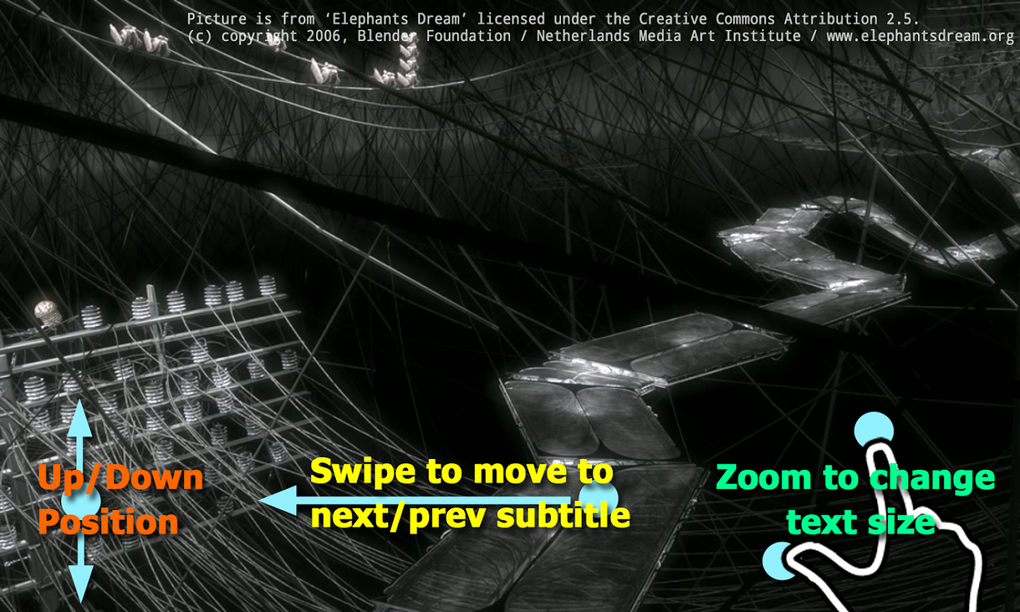
The interface adapts to user preferences, enabling customization of themes and button visibility. Workflow efficiency is enhanced by features like touch-based playback controls and gesture support, allowing users to skip forward or backward with a simple swipe. The developer did not specify resource usage details, but general software behavior suggests efficient performance across mid-to-high-end Android devices.
Performance observations are based on general software behavior patterns. Stability appears strong, with minimal reported crashes during typical use. The app maintains consistent responsiveness even when handling complex video files, thanks to optimized decoding methods.
The inclusion of hardware acceleration and multi-core decoding contributes to smoother playback and reduced system strain. Users may notice slight variations in performance depending on the device’s hardware capabilities and the video file’s complexity. However, the app’s ability to switch between decoders dynamically helps maintain playback continuity.
Compatibility & System Requirements
MX Player Pro is designed for Android operating systems, with support confirmed for Android 5.0 Lollipop and later versions. The application has a file size of 32 MB, indicating a lightweight installation that does not consume significant storage space. Compatibility information was partially provided, with the supported OS version clearly listed.
The developer did not specify exact system requirements beyond the OS version, leaving details about RAM, CPU, or GPU capabilities unspecified. Users should expect standard performance on devices meeting the minimum Android 5.0 requirement. For optimal playback of high-resolution or high-bitrate videos, devices with modern processors and dedicated graphics capabilities are recommended.
The app’s support for Android TV suggests it is optimized for larger screen environments, though specific hardware compatibility details were not included. Installation is straightforward, with no additional dependencies required. The software is compatible with a wide range of Android devices, including smartphones, tablets, and Android TV boxes.
Pros and Cons
Pros
- Extensive video and audio format compatibility
- Ad-free experience in the Pro version
- Advanced subtitle synchronization and speed control
- Hardware acceleration for improved playback performance
- Support for multi-core decoding on capable devices
- Parental lock feature for younger users
- Enhanced functionality for Android TV users
- Customizable interface with theme and button options
- Mouse support on touchscreens with configurable wheel actions
Cons
- Some users may find the settings menu overwhelming due to advanced options
- Decoder selection may require trial and error for optimal playback
- Resource usage details were not provided by the developer
- Performance may vary depending on device hardware
- Interface customization may not be intuitive for beginners
FAQ Section
Is MX Player Pro compatible with Android TV?
Yes, MX Player Pro offers improved support for Android TV, with an optimized interface and enhanced functionality for use on larger screens and streaming devices.
Can I use MX Player Pro without an internet connection?
Yes, the software functions fully offline. All playback, subtitle handling, and decoding features work without requiring a network connection.
Is the software safe to download and install?
MX Player Pro is a legitimate application available through official channels. As with any third-party app, users should ensure they download from trusted sources to maintain device security.
Does MX Player Pro require a license key or subscription?
No, MX Player Pro is a donation-based version of the app. It does not require a license key or recurring subscription; once installed, it remains fully functional without time limits.
How often are updates released?
Updates are released periodically to improve compatibility, fix bugs, and add new features. The latest version, 2.11.2, was released on March 15, 2025.
Final Thoughts
MX Player Pro stands out as one of the most capable and flexible video players available for Android. Its ability to handle virtually any video format, combined with advanced features like hardware acceleration, multi-core decoding, and precise subtitle control, makes it a top choice for both casual users and media enthusiasts. The ad-free experience enhances usability, while the customizable interface allows users to tailor the app to their preferences.
Although the depth of settings may be intimidating for beginners, the core functionality remains accessible and intuitive. The inclusion of features like parental lock, A-B repeat, and mouse support demonstrates a thoughtful approach to user needs across different scenarios. For anyone seeking a reliable, powerful, and versatile media player on Android, MX Player Pro delivers exceptional value.
Download MX Player Pro now.





.png)

